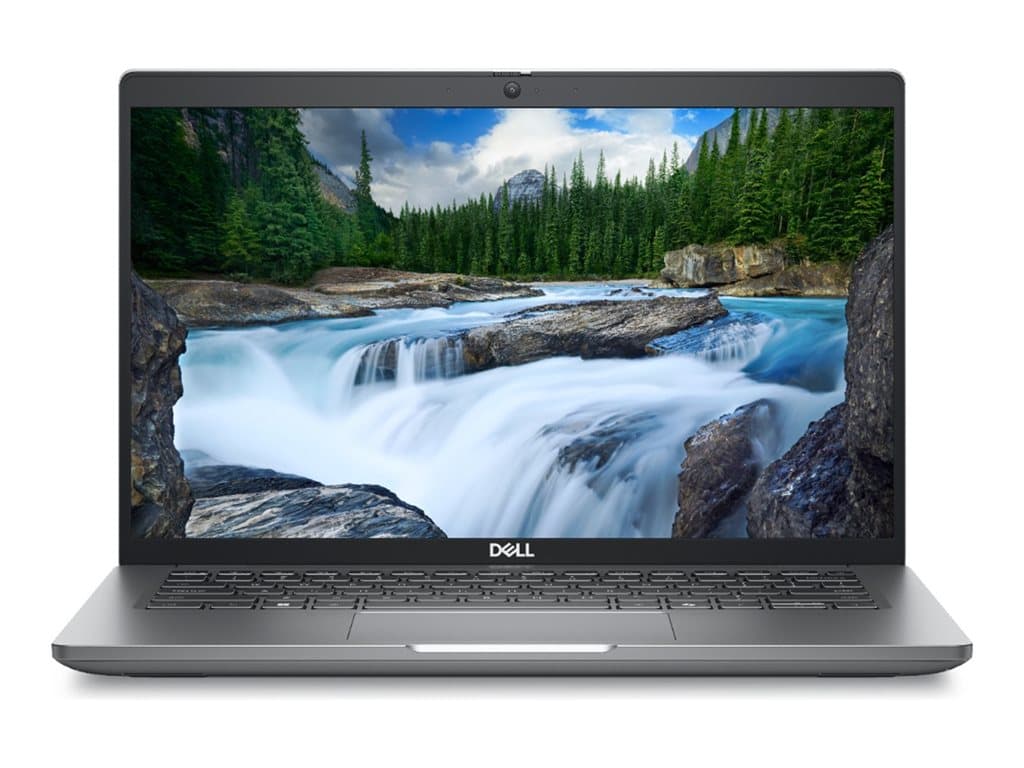
What kind of business laptop is this?
The Dell Latitude 5450 Silver is represented here by refurbished 14-inch business laptops running Windows 11 Pro. The verified supplier records cover three configurations with integrated graphics, Full HD displays, UK keyboards and silver finishes. That combination points toward mainstream office use rather than specialist graphics workloads: document creation, browser-based systems, video meetings, administration and portable work between desks or sites.
It should particularly suit organisations that want a recognisable business platform while choosing memory and storage according to each employee’s role. A 14-inch screen is a practical middle ground for mobile staff who still need a conventional notebook format. Buyers should nevertheless assess the display size against their working patterns; finance users, developers and others who keep several detailed windows open may still benefit from an external monitor at a permanent desk.
Verified configurations and important distinctions
Part number L5450041203 is listed with an Intel Core Ultra 5 135U processor, 16GB RAM and a 512GB SSD. Its supplier description also records a camera, Wi-Fi, Bluetooth, SC, FP, NFC and a backlit keyboard. This is the most balanced of the documented options for general business deployment because its memory and storage sit between the other two configurations.
Part number L5450240301 combines an Intel Core Ultra 5 125U processor with 32GB RAM and a 512GB SSD. The listing specifies a non-touch 14-inch Full HD display and also records a camera, Wi-Fi, Bluetooth, SC, FP, NFC and a backlit UK keyboard. The extra memory makes this the clearer candidate for heavier multitasking, larger spreadsheets, development tools or users who keep many applications and browser tabs active. Integrated graphics remain the stated graphics solution, so 32GB RAM should not be mistaken for a dedicated workstation GPU.
Part number L5450180601 has 8GB RAM and a 256GB SSD. Its raw supplier description identifies a Core Ultra 7 165H, while the separate structured processor field says only “Intel / AMD”. This inconsistency should be resolved against the final stock record before purchase. The listing otherwise specifies a non-touch 14-inch Full HD screen, camera, Wi-Fi, Bluetooth and a backlit UK keyboard. It is likely to fit lighter office duties, but 8GB of memory and 256GB of storage require more careful capacity planning.
All three documented listings specify Windows 11 Pro, integrated graphics and a 36-month warranty. However, individual SKUs can differ, even within the Latitude 5450 Silver family. Features shown in one description must not automatically be assumed for another. The supplied records also do not establish the exact port selection, battery condition or capacity, chassis materials, weight, display brightness, upgradeability or included accessories.
Practical strengths for organisational use
Windows 11 Pro is relevant to managed business environments because it is the professional edition rather than the consumer Home edition. The available memory range also lets buyers avoid assigning the same specification to every role. A 16GB model can cover ordinary knowledge work, while 32GB provides more breathing room for demanding multitasking. The 8GB version may make sense for tightly defined workflows, shared terminals or web-led tasks if local storage needs are modest.
The documented camera and wireless connectivity support everyday hybrid work, while the backlit UK keyboard can be useful in varied lighting. On the two listings that explicitly include SC, FP and NFC, buyers gain a basis for discussing smart-card, fingerprint and near-field authentication requirements with their IT team. Compatibility with an organisation’s identity systems still needs confirmation; the presence of hardware alone does not guarantee that every company credential or deployment policy will work.
Trade-offs to consider honestly
These units are described as refurbished, so procurement should include condition grading and battery-health questions rather than treating them as factory-new stock. Cosmetic condition, previous use and refurbishment scope are not provided in the verified facts. Although a 36-month warranty is listed, buyers should establish who supplies the cover, where it applies and whether battery, collection, accidental damage or on-site service is included.
Integrated graphics are appropriate for normal productivity, but buyers needing certified CAD workflows, sustained 3D rendering or other GPU-intensive applications should seek application-specific evidence. Full HD states resolution class, not colour coverage, brightness or panel quality. Likewise, no dependable runtime claim can be made without a confirmed battery specification and usage method.
Buying checklist
- Match the exact part number: distinguish L5450180601, L5450041203 and L5450240301.
- Confirm processor details: resolve the conflicting processor fields for L5450180601 in writing.
- Choose realistic capacity: assess whether 8GB and 256GB are sufficient, or select 16GB or 32GB with 512GB storage.
- Verify input requirements: all supplied records specify a UK keyboard.
- Check SKU-level features: confirm touch capability, SC, FP, NFC, camera and backlighting rather than extrapolating.
- Request physical details: confirm ports, charger, battery health, condition grade, weight and included accessories.
- Read the warranty terms: verify provider, territory, service method and exclusions for the stated 36 months.
Measured verdict
The Dell Latitude 5450 Silver is a credible option for organisations seeking a refurbished Windows 11 Pro notebook with role-based configuration choices. L5450041203 offers the most conventional balance, while L5450240301 is better aligned with memory-heavy users. L5450180601 may serve lighter workloads, but its processor discrepancy needs resolution. The right purchase therefore depends less on the family name alone and more on matching the exact part number, condition, capacity and documented features to the user’s workload.