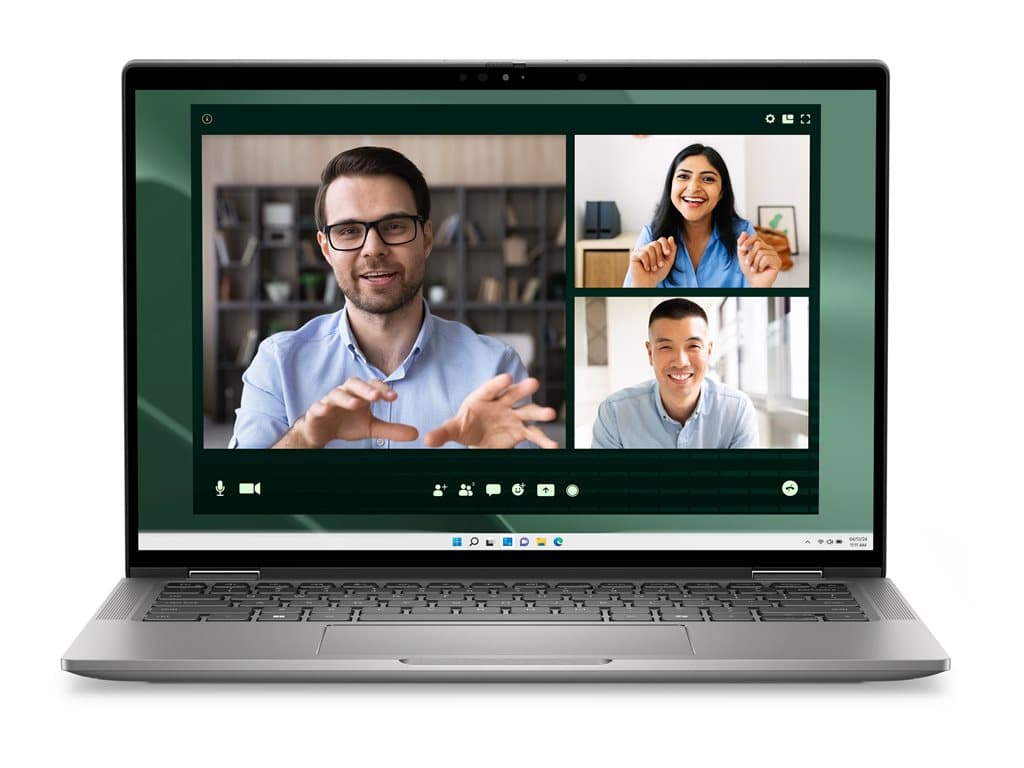
What kind of buyer is the Latitude 7350 Silver for?
The Dell Latitude 7350 Silver is a compact business notebook family aimed at people who need a manageable Windows computer for office and mobile work. The verified supplier listings describe standard-form-factor, refurbished systems with a 13.3-inch FHD+ non-touch LCD. That combination is relevant to travelling employees, account managers, consultants and hybrid workers who value a smaller screen footprint more than a large desktop-style workspace.
It also makes sense for organisations standardising on Windows 11 Pro. Every configuration covered here has that operating system, 16GB of RAM, a 256GB SSD and integrated graphics. These specifications provide a coherent baseline for browser-based systems, communications, documents, spreadsheets and ordinary multitasking. They should not, however, be interpreted as evidence of suitability for demanding 3D, rendering or other workloads normally purchased with dedicated graphics.
Verified configurations and SKU differences
The supplied records identify four silver refurbished SKUs. L7350071001 and L7350071004 use an Intel Core Ultra 5 135U processor. L7350250902 and L7350071006 use an Intel Core Ultra 5 125U. All four list 16GB RAM, a 256GB SSD, integrated graphics, Windows 11 Pro, a backlit UK keyboard and a 13.3-inch FHD+ non-touch LCD. Wi-Fi and Bluetooth are also stated in the supplier descriptions.
Security and equipment details distinguish the listings. L7350071004 explicitly includes a smart-card reader, fingerprint reader and NFC. L7350250902 explicitly lists a camera and fingerprint reader, while L7350071006 lists a camera but does not state a fingerprint reader. The shorter description for L7350071001 does not expressly list a camera, smart-card reader, fingerprint reader or NFC. An omitted feature must not be assumed absent or present: confirm it against the exact part number before ordering.
The supplier states a 36-month warranty for each listed configuration. Because the products are described as refurbished, buyers should establish what that warranty covers, who provides service and which battery or cosmetic-condition terms apply. The family name Latitude 7350 Silver does not guarantee identical equipment across every unit. Individual SKUs can differ, and even superficially similar listings need part-number-level verification.
Practical strengths in a business deployment
The strongest purchasing argument is consistency. A baseline of 16GB RAM, SSD storage and Windows 11 Pro is straightforward for IT teams to document and deploy. The two listed processor choices also remain within the Intel Core Ultra 5 U-series category, although buyers should avoid treating the 125U and 135U as interchangeable when maintaining an exact hardware standard.
The 13.3-inch format may suit employees who frequently move between meetings or work with an external office setup. FHD+ resolution offers more display information than the diagonal alone, but no claims about brightness, colour coverage or outdoor visibility are supported by the supplied facts. Likewise, the backlit keyboard is useful in changing light, while the verified UK layout is important for organisations whose users expect another national layout.
Optional security equipment is particularly relevant to managed estates. A smart-card reader, fingerprint reader or NFC may support an organisation's authentication workflow, but only the named SKUs explicitly document those features. Buyers should involve IT security before purchase rather than choosing by processor alone. Compatibility with corporate credentials, software and policies still requires local validation.
Honest limitations and uncertainties
A 256GB SSD can be sufficient for cloud-led work, yet it may be restrictive for large offline archives, media libraries or multiple virtual machines. Integrated graphics also position these systems toward mainstream productivity rather than specialist graphical work. The non-touch display will be appropriate where touch input is unnecessary, but it is not a substitute for a convertible or pen-focused device.
The source information does not verify battery endurance, device weight, chassis materials, port selection, display brightness, certifications or upgradeability. No reliable conclusion about those points should be drawn from the model name. Prospective buyers should consult the SKU-specific datasheet and supplied manual, then request written confirmation where a detail affects docking, monitors, charging, travel or compliance.
Buying checklist
- Match the part number: choose between L7350071001, L7350071004, L7350250902 and L7350071006 by documented equipment, not appearance.
- Confirm the processor: listings contain either Intel Core Ultra 5 125U or 135U.
- Check authentication: verify fingerprint, smart-card and NFC requirements against the exact SKU.
- Validate communications: Wi-Fi and Bluetooth are stated, but required standards and enterprise compatibility should be confirmed.
- Review the keyboard: all supplied listings specify a backlit UK layout.
- Assess capacity: decide whether 16GB RAM and a 256GB SSD fit the expected software and retention needs.
- Clarify refurbishment: request condition grading, battery terms, included accessories and warranty service details.
- Check connectivity: use the exact datasheet or manual to verify ports, docks, displays and charging arrangements.
Measured verdict
The Dell Latitude 7350 Silver is a credible shortlist option for organisations seeking a compact refurbished Windows 11 Pro notebook with a clearly defined core specification. Its practical appeal lies in 16GB of RAM, SSD storage, a non-touch FHD+ screen and selectable security equipment. The main caveat is variation between individual SKUs. Buy only after matching the part number to authentication, camera, keyboard, connectivity and warranty requirements; where the supplier record is silent, obtain confirmation rather than relying on assumptions.