What kind of buyer is it for?
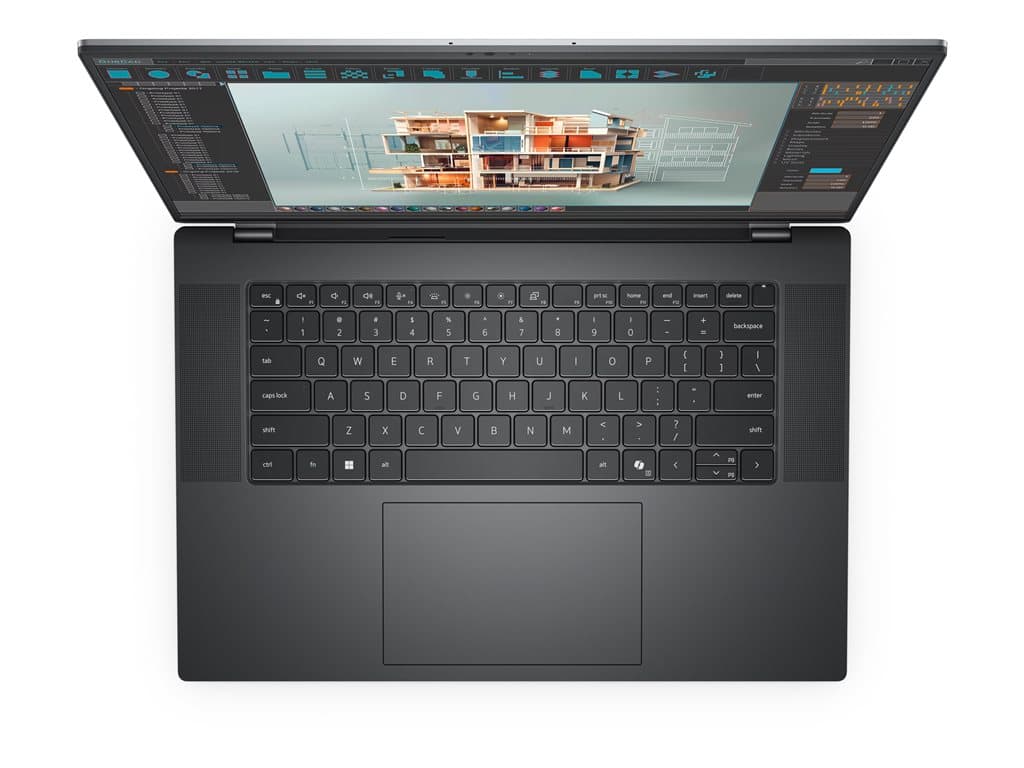
The Dell Precision 5690 Silver is a 16-inch mobile workstation family aimed at organisations that need more computing headroom than a routine office notebook normally provides. The supplied inventory spans two distinct roles: a straightforward Windows business machine with integrated graphics, and better-equipped configurations with a dedicated NVIDIA RTX 1000 Ada 6GB GPU. That makes the family relevant to technical professionals, content teams, analysts and managers who want one large-screen system for both ordinary business applications and more demanding specialist software.
The integrated-graphics version is the more defensible choice for document work, browser-based systems, communications, large spreadsheets and other tasks that do not explicitly require a dedicated GPU. The RTX versions are more appropriate when applications can use NVIDIA graphics acceleration, larger project files place greater pressure on memory, or a department wants a more capable general-purpose workstation. Buyers should still check the requirements and support policies of their CAD, visualisation, engineering or creative applications rather than assuming that the workstation label guarantees suitability.
Verified configurations in the current supply data
Five silver, refurbished SKUs are listed, all with Windows 11 Pro, a UK keyboard and a stated 36-month warranty. Part number P5690280101 combines an Intel Core Ultra 5 135H, 16GB RAM, a 256GB SSD, integrated graphics and a non-touch 16-inch FHD+ display. It is the least specialised configuration and may suit standard office deployment where the larger screen and professional product family matter more than GPU acceleration.
Three clearly documented FHD+ alternatives—P5690210701, P5690161001G and P5690140401—list an Intel Core Ultra 7 165H, 32GB RAM, a 512GB SSD and an RTX 1000 Ada 6GB GPU. Their supplied descriptions are not identical: fingerprint-reader notation appears on some listings, while P5690161001G is marked “GRADE”. Buyers should ask the seller what that grade means and confirm the exact security features and cosmetic condition attached to the unit being ordered.
The remaining SKU, P5690250501, lists 32GB RAM, a 512GB SSD, RTX 1000 Ada 6GB graphics and a 16-inch OLED touch display. Its raw supplier description identifies a Core Ultra 7 165H, but the structured processor field says “Intel / AMD”. Because those fields conflict, the processor must be confirmed from the final SKU record or service tag before purchase. This is an important example of why the exact model family name alone does not define the delivered specification.
Practical strengths
The strongest feature of this inventory is choice. An IT team can select a moderate 16GB and 256GB configuration for mainstream work, or move to 32GB, 512GB and dedicated graphics for workloads with clearer workstation needs. Windows 11 Pro is consistent across the listed options, which is useful for business deployment. The stated three-year warranty is also meaningful for lifecycle planning, although coverage terms, service location and start date should be verified with the seller.
Display choice is another practical distinction. FHD+ non-touch configurations may be preferable where touch input is unnecessary and consistency across a fleet matters. The OLED touch SKU offers a different interaction and display proposition for users who specifically value those features. However, no claims about colour accuracy, brightness, power consumption or panel durability can be made from the supplied facts, so buyers with colour-critical requirements should request the complete panel specification.
Trade-offs and points requiring confirmation
These are refurbished systems, and that status deserves attention. The data does not state battery health, cosmetic standard, prior usage or whether every accessory is included. It also does not provide verified weight, port selection, wireless standard, upgradeability or measured performance. Do not infer these details from another Precision 5690 listing: individual SKUs can differ, and the seller’s final specification should govern the order.
Capacity is another consideration. A 256GB SSD can be restrictive where local datasets, media libraries or engineering projects are involved, while 512GB may also be modest for some professional workflows. Likewise, RTX 1000 Ada 6GB is a dedicated professional-class option in these listings, but suitability depends on software, project complexity and GPU-memory demand. Procurement should map the actual application requirement to the selected SKU instead of buying solely by processor or GPU name.
Buying checklist
- Match the part number: ensure the quotation names the exact SKU, not only Dell Precision 5690 Silver.
- Confirm condition: request the refurbishment grade, cosmetic description, battery-health policy and included accessories.
- Verify the processor: especially for P5690250501, whose supplied fields conflict.
- Choose the display: distinguish FHD+ non-touch models from the OLED touch configuration.
- Check graphics needs: select integrated graphics only when key applications do not require dedicated GPU acceleration.
- Review capacity: validate whether 16GB or 32GB RAM and 256GB or 512GB storage fit the workload.
- Accept the keyboard: all supplied configurations specify a UK layout.
- Validate support: obtain the exact 36-month warranty terms and confirm coverage from the service tag.
Measured verdict
The Dell Precision 5690 Silver inventory covers a useful range, but it should be purchased by part number rather than family name. P5690280101 is the logical mainstream option when dedicated graphics are unnecessary. The 32GB RTX FHD+ models offer the clearest balance for professional applications that can exploit a discrete GPU, while P5690250501 is the specialist choice for buyers who specifically need touch and OLED. The final decision should follow application compatibility, condition verification and warranty confirmation—not assumptions based on the Precision badge.