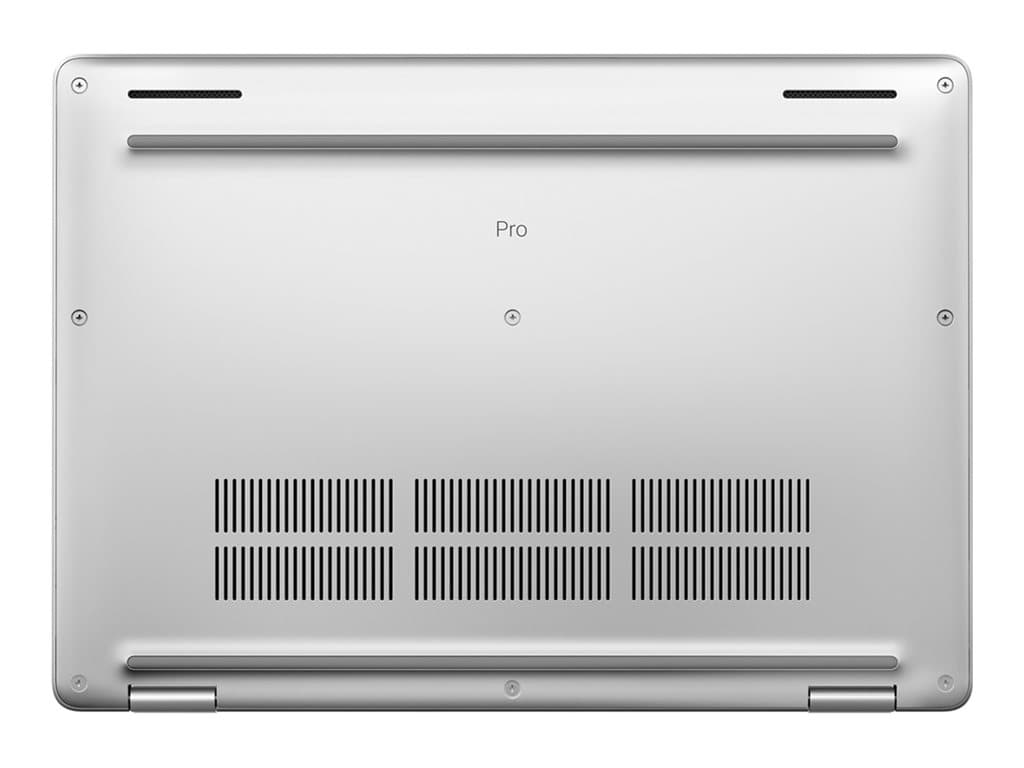
Who is the Dell Pro 14 Plus Silver for?
The Dell Pro 14 Plus Silver is a conventional 14-inch business notebook aimed at office users who need Windows 11 Pro, a compact display and practical security or communication features. The verified supplier listings describe refurbished units rather than factory-new stock, making condition, included accessories and warranty handling important parts of the purchasing decision.
Its listed specifications fit everyday productivity roles: document creation, browser-based systems, email, video meetings and routine multitasking. It should make most sense for administrators, account teams, sales staff, hybrid workers and organisations replacing a fleet of older office PCs. All verified options use integrated graphics, so buyers requiring a certified workstation GPU, demanding 3D rendering or GPU-heavy creative applications should consider another class of machine.
Verified configurations and SKU differences
The model family name is Dell Pro 14 Plus Silver, but that name does not identify one fixed specification. Individual SKUs can differ, and the part number should be checked before every order. The supplied records show a silver, standard-form-factor laptop with a non-touch 14.0-inch FHD+ LCD, UK keyboard, backlit keys, Wi-Fi, Bluetooth and Windows 11 Pro. Every listed configuration has integrated graphics and a stated 36-month warranty.
The AMD group uses the Ryzen 5 PRO 230. P14191102, PR14270111 and PR14270114 pair it with 16GB of RAM and a 256GB SSD. PR14270116 retains 16GB but increases storage to a 512GB SSD. The separate Intel option, PP14180602, uses a Core 5 120U, 8GB of RAM and a 256GB SSD. The supplier descriptions identify camera, fingerprint reader, smart-card reader and NFC differently across SKUs, so these features must not be assumed from the family name.
- P14191102: Ryzen 5 PRO 230, 16GB RAM, 256GB SSD; fingerprint reader is listed.
- PP14180602: Core 5 120U, 8GB RAM, 256GB SSD; camera, smart-card reader, fingerprint reader and NFC are listed.
- PR14270111: Ryzen 5 PRO 230, 16GB RAM, 256GB SSD; camera and fingerprint reader are listed.
- PR14270114: Ryzen 5 PRO 230, 16GB RAM, 256GB SSD; camera and smart-card reader are listed.
- PR14270116: Ryzen 5 PRO 230, 16GB RAM, 512GB SSD; camera and fingerprint reader are listed.
Practical strengths for business use
Windows 11 Pro is a meaningful advantage for managed business deployment because it is the professional edition specified on every verified SKU. The 14-inch FHD+ format offers a sensible middle ground for mobile office work: more compact than many 15- or 16-inch systems while providing a conventional notebook workspace. A backlit keyboard can also be useful in meeting rooms or shared travel environments.
The 16GB AMD configurations are the more comfortable starting point for users who routinely keep many browser tabs, office applications and meeting software open together. The 512GB PR14270116 provides more local capacity than the otherwise similar 256GB options. For businesses using compatible identity systems, selecting the correct combination of fingerprint, smart-card and NFC functionality may be more important than choosing between the processor brands.
Trade-offs and unanswered questions
The Intel SKU has only 8GB of listed RAM, which may be restrictive for heavier multitasking or a longer deployment cycle. A 256GB SSD can also fill quickly when users retain large mailboxes, synced folders or media locally. Conversely, 16GB and 512GB should not automatically be treated as upgradeable: the supplied facts do not establish whether memory or storage can be replaced, so expansion plans need confirmation against the exact service documentation.
None of the verified configurations has a touchscreen or discrete graphics. The available facts do not establish battery runtime, weight, chassis materials, panel brightness, colour coverage, port selection or specific certifications. Buyers should not infer those details from similar Dell models. The listings also describe the products as refurbished, but do not define cosmetic grade, battery-health threshold or accessory bundle. Those points should be agreed with the seller in writing.
Buying checklist
- Match the quotation to the exact part number, not merely Dell Pro 14 Plus Silver.
- Choose 8GB or 16GB RAM according to workload and expected service life.
- Decide whether 256GB is sufficient or whether PR14270116’s 512GB SSD is preferable.
- Confirm the required camera, fingerprint, smart-card and NFC combination.
- Verify that a UK keyboard and a non-touch FHD+ display suit the users.
- Ask what refurbished condition, battery standard and accessories are included.
- Confirm how the stated 36-month warranty is delivered and who provides support.
- Check ports, docking compatibility and external-display requirements in the relevant manual or datasheet.
Measured verdict
The Dell Pro 14 Plus Silver is a credible option for mainstream business computing when its compact FHD+ format, Windows 11 Pro and integrated graphics match the intended workload. Of the verified choices, the 16GB AMD variants provide the more balanced memory specification, while PR14270116 adds useful storage headroom. The Intel SKU stands out for its listed security and connectivity feature set, but its 8GB memory deserves scrutiny. The right purchase depends less on the family label than on selecting the exact SKU and clarifying the refurbished condition, battery, ports and warranty process before deployment.