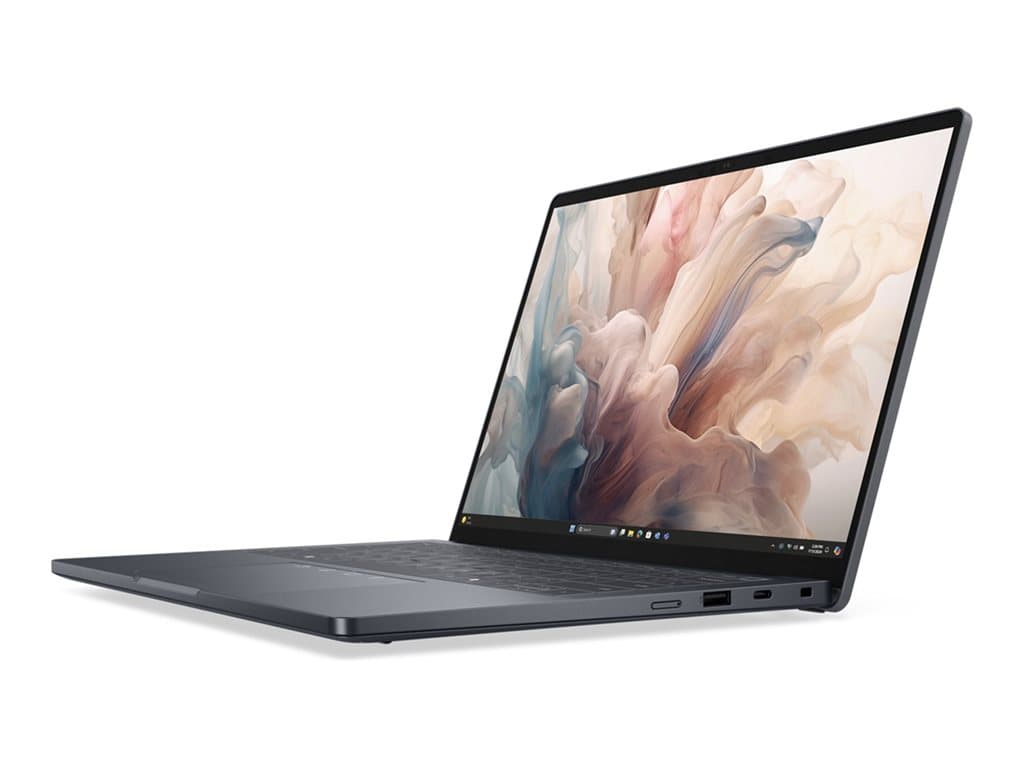
What the Dell Pro 14 Premium Black is for
The Dell Pro 14 Premium Black is a 14-inch Windows business laptop family aimed at people who need a practical computer for office applications, browser-based systems, communication and mobile work. The verified supplier listings describe refurbished units in black, supplied with Windows 11 Pro and a 36-month warranty. That combination may suit organisations seeking professional software features and predictable warranty coverage without automatically buying newly manufactured stock.
The available configurations are best matched to managers, consultants, sales teams, administrators and hybrid workers. Every listed unit has 16GB of RAM, a 512GB SSD, integrated graphics, a camera, Wi-Fi, Bluetooth, a fingerprint reader and a backlit UK keyboard. These specifications support mainstream business workloads, but the supplier information does not establish performance in specialist engineering, 3D rendering or other graphics-intensive software. Buyers with those requirements should validate application compatibility independently.
Verified configurations and meaningful differences
Four part numbers are listed, although they form two principal hardware combinations. PP14210903 and PP14210904 pair an Intel Core Ultra 7 266V processor with a 14-inch FHD+ non-touch LCD. PP14210713 and P14161003 use an Intel Core Ultra 5 236V processor and a 14-inch QHD+ touch LCD. All four include 16GB RAM, 512GB SSD storage, integrated graphics and Windows 11 Pro.
This creates a clear decision rather than a simple hierarchy. The Core Ultra 7 versions offer the higher-positioned processor in the verified selection, while the Core Ultra 5 versions provide the higher-resolution touchscreen. A buyer prioritising heavier multitasking may first consider the processor distinction; someone working with detailed documents, dashboards or direct screen input may favour QHD+ touch. No supplied benchmark results quantify the performance gap, so the processor name alone should not be converted into an unsupported productivity claim.
The exact part number matters. Individual Dell Pro 14 Premium Black SKUs can differ even when their family name, colour, memory and storage appear identical. PP14210903 and PP14210904 have the same stated core specification, as do PP14210713 and P14161003, but procurement teams should still use the part number on the quotation, invoice and warranty record. Do not assume that every unit advertised under the family name includes touch or a QHD+ panel.
Practical strengths for business deployment
Consistency is a notable strength of this supplier selection. A 16GB memory allocation and 512GB SSD are present throughout, reducing the number of internal configurations an IT team must support. Windows 11 Pro is also consistent across all four listings. For organisations standardising user images, security policies and support documentation, that common baseline can simplify purchasing compared with a mixed collection of consumer notebooks.
The choice between FHD+ non-touch and QHD+ touch allows procurement to align displays with roles. Standard office users who do not need touch can avoid treating it as mandatory. Teams that annotate, navigate by touch or value increased display resolution have a verified alternative. The fingerprint reader and backlit keyboard may also be useful in shared offices, travel settings and rooms with variable lighting, although enrolment policies and authentication compatibility remain the responsibility of the buyer’s IT environment.
Trade-offs and points that require confirmation
Integrated graphics are specified for every listed configuration. This is appropriate to consider for normal productivity, but buyers needing a discrete GPU should look elsewhere or confirm whether another family configuration exists. The listings also identify a UK keyboard, which can be inconvenient where employees expect a Lithuanian, Polish or another national layout. Software layout changes do not alter the physical key legends.
The supplied facts do not verify port selection, battery runtime, device weight, chassis materials, upgradeability, panel brightness or colour coverage. These details should therefore be checked in the applicable datasheet or with the seller before fleet approval. The listings describe the products as refurbished, so buyers should also request the applicable condition standard, cosmetic grading, battery policy and included accessories. A 36-month warranty is stated, but its provider, service location and response terms should be confirmed rather than inferred.
Buying checklist
- Match the part number: verify PP14210903, PP14210904, PP14210713 or P14161003 on all order documents.
- Choose the display: confirm FHD+ non-touch or QHD+ touch according to the user’s role.
- Check the processor: distinguish Intel Core Ultra 7 266V from Intel Core Ultra 5 236V.
- Accept the keyboard: ensure the physical UK layout is suitable.
- Verify refurbishment terms: ask about grading, battery policy, accessories and data sanitisation.
- Read the warranty: confirm who provides the stated 36-month cover and what service it includes.
- Validate omitted details: check ports, docking support, power adapter and other deployment requirements.
Measured verdict
The Dell Pro 14 Premium Black has a coherent business specification: Windows 11 Pro, 16GB RAM, 512GB SSD storage and a 14-inch display across the verified range. Its most important choice is between Core Ultra 7 with FHD+ non-touch and Core Ultra 5 with QHD+ touch. It is a credible option for mainstream professional work when integrated graphics and a UK keyboard are acceptable. Final approval should depend on the exact SKU, refurbishment conditions and confirmation of the operational details absent from the supplier data.