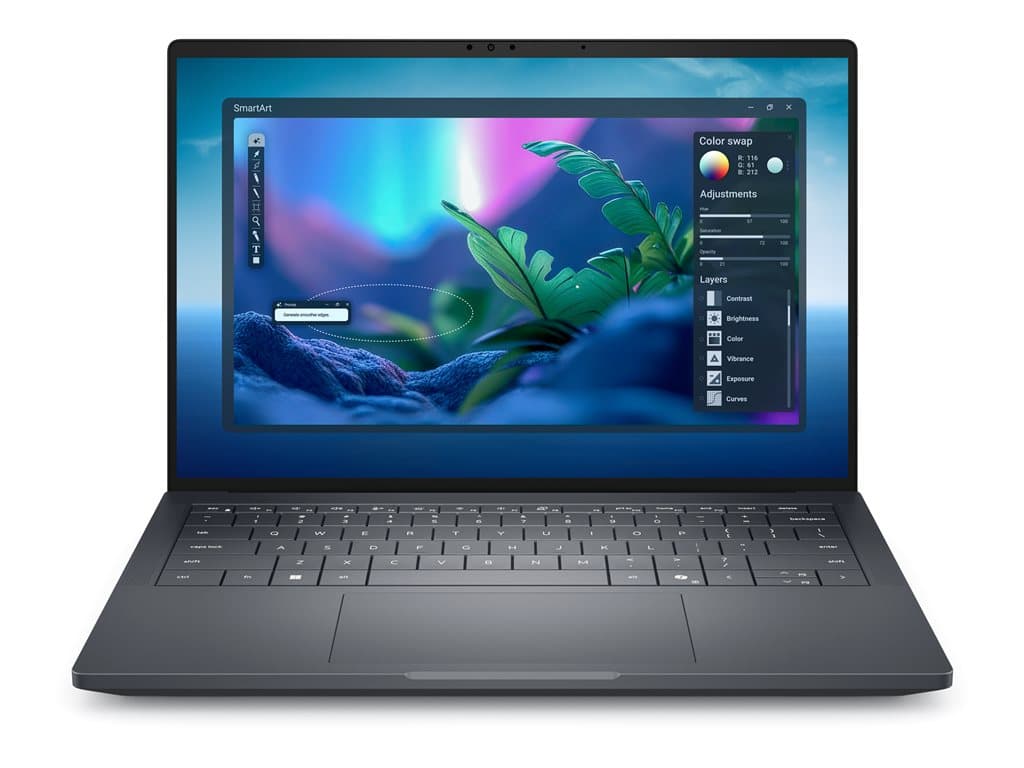
Who is the Dell Pro Max 14 Premium Silver for?
The Dell Pro Max 14 Premium Silver is positioned as a compact professional computer for buyers who need considerably more memory and storage than a typical office notebook. The verified PM14310801 listing combines an Intel Core Ultra 7 265H processor, 64GB of RAM and a 2TB SSD with a 14-inch FHD+ non-touch display. That balance can suit developers, analysts, engineers, technical consultants and creative professionals whose applications or local datasets place substantial demands on system memory.
It may also be relevant to IT departments seeking a powerful Windows 11 Pro machine in a conventional laptop form factor. The 14-inch format is potentially convenient for staff who divide their time between desks, meeting rooms and customer sites. However, portability cannot be judged from screen size alone: the supplied information does not verify the device's weight, dimensions or battery endurance. Buyers for whom frequent travel is central should confirm those details in Dell documentation for the exact part number.
Verified PM14310801 configuration
The supplier identifies the available silver configuration as part number PM14310801. Its structured specification records Windows 11 Pro, an Intel Core Ultra 7 265H processor, 64GB of RAM, a 2TB SSD, a 14.0-inch FHD+ display and a UK keyboard. The panel is listed as non-touch, while a fingerprint reader and backlit keyboard appear in the supplier's raw product description. A 36-month warranty is also stated.
There is one important discrepancy to resolve before purchase. The structured GPU field says Integrated Graphics, but the raw product title includes RTX PRO 1000. These descriptions are not equivalent, and graphics capability may materially affect suitability for CAD, visualisation, video or GPU-assisted applications. Nordhub should confirm the installed graphics adapter against the service tag, Dell order record or final quotation rather than inferring it from either field. The raw title also contains the word Refurb; buyers should ask whether this means refurbished stock and request the applicable condition grading.
Individual SKUs in the Dell Pro Max 14 Premium Silver family can differ. Memory, SSD capacity, display, keyboard layout, graphics hardware, operating system and warranty terms should therefore be checked by part number. The facts here apply specifically to the supplier record for PM14310801 and should not be treated as universal specifications for every unit carrying the family name.
Practical strengths
The clearest strength of this configuration is capacity. A 64GB memory allocation gives demanding business applications more room than mainstream office configurations, while the 2TB SSD provides useful local space for projects, virtual machine images and large working files. Actual performance still depends on workload, software, thermal behaviour and the confirmed graphics implementation, so these specifications should not be converted into unsupported performance claims.
Windows 11 Pro is appropriate for managed business deployments because it provides the professional edition rather than a consumer Windows edition. The UK backlit keyboard may be beneficial for organisations standardised on that layout, and the listed fingerprint reader may support more convenient sign-in. Compatibility with a company's identity, endpoint-management and security policies must nevertheless be validated by its IT team. No specific certifications, docking interfaces, wireless standards or physical ports are confirmed in the supplied record.
Trade-offs and questions to resolve
The non-touch FHD+ panel should be considered in relation to the intended workflow. Buyers who require pen input, touch interaction, a particular colour gamut, brightness level or higher resolution should not assume those features are present. None of those display characteristics is verified here. Similarly, a 14-inch screen offers a compact workspace; users handling dense timelines, large spreadsheets or detailed drawings may prefer external monitors at a permanent desk.
The graphics contradiction is the largest purchasing risk because integrated graphics and an RTX PRO 1000 would support different deployment decisions. Condition is another issue because of the Refurb wording. Also confirm whether the quoted 36-month warranty is provided by Dell, the supplier or another party, when coverage begins, and whether service is on-site or return-based. Battery health is especially important if the unit is refurbished, but no battery condition or runtime figure has been supplied.
Buying checklist
- Match the part number: require PM14310801 on the quotation and order confirmation.
- Resolve the GPU: obtain written confirmation of Integrated Graphics or RTX PRO 1000.
- Confirm condition: establish whether Refurb means refurbished and request grading and battery-health terms.
- Check the display: verify FHD+, non-touch operation and any required brightness or colour characteristics.
- Validate input: ensure the UK keyboard layout is suitable and confirm the fingerprint reader and backlight.
- Review support: identify the provider, scope and start date of the stated 36-month warranty.
- Check connectivity: compare the exact port, wireless, charger and docking specification with existing equipment.
- Confirm expandability: ask whether RAM and storage are replaceable and how upgrades affect warranty coverage.
Measured verdict
On the verified facts, the Dell Pro Max 14 Premium Silver PM14310801 is a compelling specification for memory-heavy professional work: Intel Core Ultra 7 265H, 64GB RAM, 2TB SSD and Windows 11 Pro are a purposeful combination. Its suitability for graphics-intensive work cannot be concluded until the GPU discrepancy is resolved. A buyer should also clarify refurbishment status, battery condition and warranty delivery. With those points confirmed in writing, it can be assessed responsibly as a compact, high-capacity business workstation rather than selected on the abbreviated product title alone.