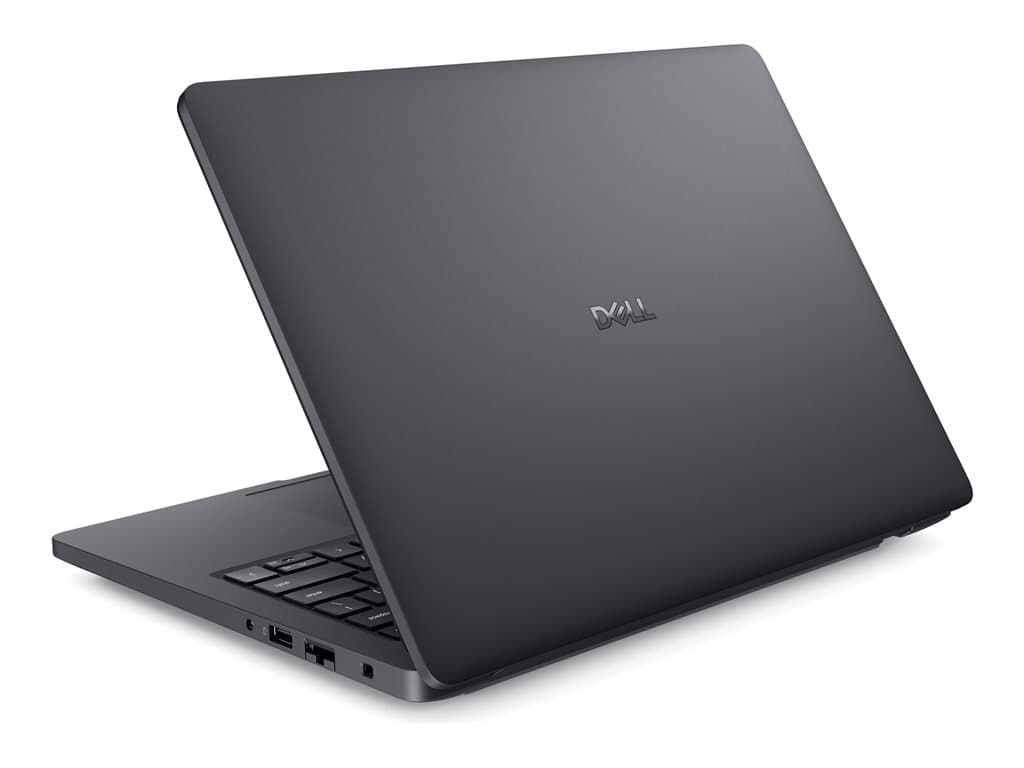
Who is the Dell Pro Max 14 Silver for?
The Dell Pro Max 14 Silver is a 14-inch business laptop family offered here in several substantially different configurations. Its format should suit organisations that need a portable primary computer for office work, hybrid working or specialist applications, but do not want to move to a larger-screen system. The listed Windows 11 Pro operating system also makes these machines more relevant to managed company environments than a consumer-oriented Windows edition would be.
The entry configurations are the more natural fit for productivity work: email, browser-based services, Microsoft 365, video meetings and line-of-business applications. The higher specification SKU adds more memory, much larger storage and, according to its supplier description, dedicated professional graphics. That version may suit technical, creative or data-heavy workflows, subject to checking application requirements and resolving the graphics-record discrepancy discussed below.
This is also important: Pro Max 14 Silver is a model family, not one fixed specification. Processor, memory, storage, graphics and even the supporting documentation vary by SKU. Buyers should therefore use the part number, rather than the family name alone, when requesting a quotation, approving a purchase or preparing an operating-system image.
Verified supplier configurations
The supplied inventory records identify three silver, standard-form-factor, non-touch configurations with a 14.0-inch FHD+ LCD, UK keyboard and Windows 11 Pro. All three are listed with a backlit keyboard. Camera, Wi-Fi, Bluetooth and a fingerprint reader appear in the supplier descriptions, although the precise standards and camera specification are not stated. A 36-month warranty is recorded for each SKU.
- PM14180601: the supplier text names an Intel Core Ultra 5 235H, 16GB RAM, 256GB SSD and integrated graphics. One structured processor field says only “Intel / AMD”, so the exact CPU should be reconfirmed against the order record.
- PM14180602: AMD Ryzen AI 7 PRO 350, 16GB RAM, 256GB SSD and integrated graphics.
- PM14070701: Intel Core Ultra 7 265H, 32GB RAM and 1TB SSD. Its raw supplier description names an NVIDIA RTX PRO 500 Blackwell Generation GPU with 6GB, while another field says “Integrated Graphics”. This conflict must be clarified before purchase.
The supplier descriptions also use the term Refurb. Buyers should not assume that this has the same meaning as new, outlet, returned or manufacturer-refurbished stock. Ask the seller to define the condition grade, explain any cosmetic standard, confirm included accessories and state who provides the recorded warranty.
Practical strengths
The clearest strength is configuration choice. Sixteen gigabytes of RAM is a sensible baseline for contemporary office multitasking, while the 32GB option gives more headroom for heavier applications, larger datasets and virtualised workloads. The difference between a 256GB and 1TB SSD is equally significant: 256GB can work for cloud-led deployments, but local project files, offline libraries and large applications can consume it quickly.
A 14-inch FHD+ non-touch display can be a practical compromise for mobile staff who also connect to workplace monitors. The absence of touch may simplify procurement where touch input is unnecessary, though buyers who annotate documents or use tablet-style interaction should look elsewhere. Integrated graphics should cover normal desktop workloads, while the claimed dedicated GPU in PM14070701 could broaden the use case considerably if the supplier confirms it.
Windows 11 Pro supports a business deployment strategy, but suitability still depends on the organisation’s management, security and software stack. The fingerprint reader and backlit UK keyboard are useful listed features for mobile work. International buyers should note that a UK keyboard layout may not match local typing conventions.
Trade-offs and unanswered questions
The available records do not establish battery runtime, device weight, chassis materials, port selection, wireless versions, display brightness or colour coverage. They also provide no performance benchmarks. These details should not be inferred from the family name or from another Dell model. Mobile teams should obtain the exact technical sheet or service-tag-level specification before standardising on the device.
The 256GB configurations offer limited local capacity compared with the 1TB SKU. Memory and storage upgradeability are not confirmed, so do not build a deployment plan around future upgrades without checking the service manual for the precise configuration. Likewise, no particular docking interface, external-display capability or power adapter is verified in the supplied facts.
Buying checklist
- Match the quotation and delivery note to part number PM14180601, PM14180602 or PM14070701.
- Confirm the exact processor, especially for PM14180601.
- Resolve whether PM14070701 includes the stated RTX PRO 500 6GB GPU.
- Verify that 16GB or 32GB RAM and 256GB or 1TB storage fit the workload.
- Check the UK keyboard layout and non-touch FHD+ display are acceptable.
- Request confirmed ports, wireless standards, weight, battery specification and included power adapter.
- Clarify the meaning of “Refurb”, the condition grade and warranty provider.
- Check compatibility with docks, monitors, management tools and required applications.
Measured verdict
The Dell Pro Max 14 Silver is potentially a versatile 14-inch business platform rather than a single-purpose machine. PM14180601 and PM14180602 appear best aligned with mainstream productivity, with CPU choice likely to drive the decision. PM14070701 is the more credible option for demanding workloads because of its 32GB RAM and 1TB SSD, but its graphics specification requires written confirmation.
For a well-controlled purchase, choose by exact part number and workload rather than by the Pro Max 14 Silver name alone. The listed foundations are useful, but condition, graphics, connectivity and mobility details should be verified before a fleet order is approved.