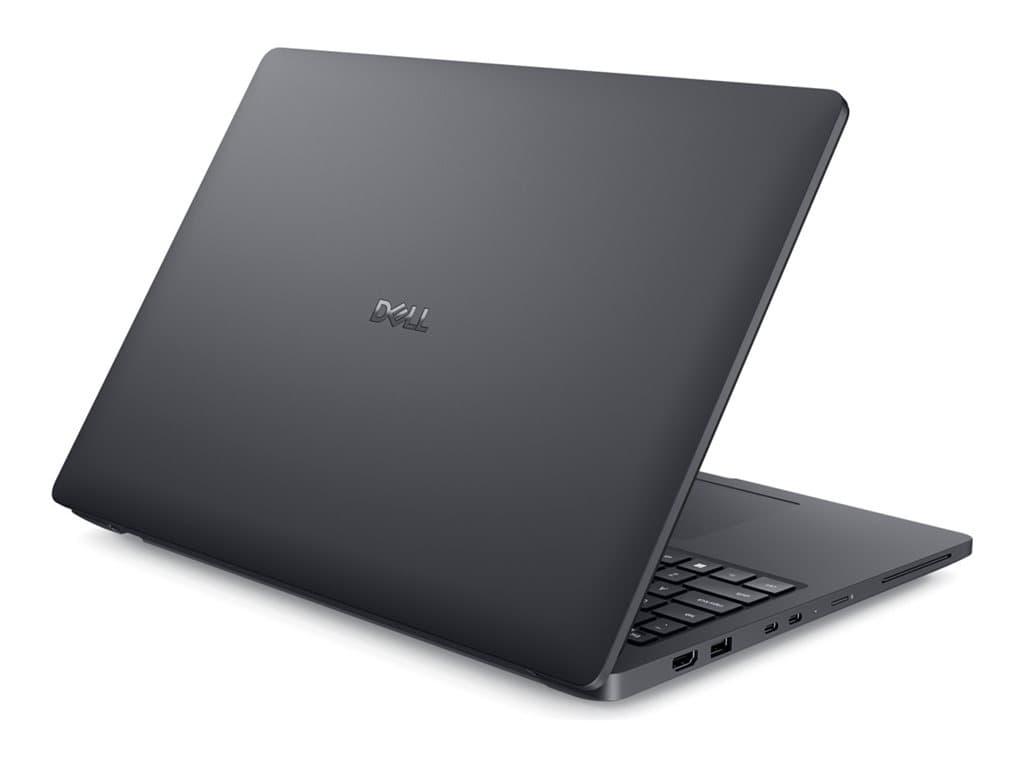
Who the Dell Pro Max 16 Silver is for
The Dell Pro Max 16 Silver is a 16-inch Windows business notebook family aimed at buyers who value a larger working area and substantial memory more than maximum portability. The supplier-listed configurations combine Windows 11 Pro, 32GB of RAM and SSD storage. That foundation is relevant to analysts, developers, engineers, content teams and other users who routinely keep demanding applications, large documents or many browser tabs open.
It may also suit organisations standardising on Windows 11 Pro and a UK keyboard. Every supplied SKU is listed in silver, with a standard notebook form factor, a non-touch 16-inch display, a backlit keyboard and a 36-month warranty. These shared details make the family easier to compare, but they do not make the individual products interchangeable. Processor, display resolution, storage and the listed feature set vary by part number.
This is not automatically the right choice for frequent travellers, touch-first workflows or employees who only need email and basic office applications. No verified weight, dimensions or battery-runtime figures were supplied, so mobility should not be judged from the screen size alone. Buyers should consult the applicable Dell documentation and obtain written confirmation for the exact SKU before making portability or deployment decisions.
Verified configurations and an important data conflict
Five refurbished supplier configurations were provided. PM16180601 is described in the supplier text with an Intel Core Ultra 7 255H, a 16-inch FHD+ non-touch display, 32GB RAM and a 512GB SSD. It also lists a camera, Wi-Fi, Bluetooth, smart-card functionality, fingerprint reader and NFC. However, its separate structured processor field says only “Intel / AMD”, so the Core Ultra 7 255H should be confirmed against the part number rather than inferred from that generic field.
PM16070715 and PM16070701 are both listed with an Intel Core Ultra 5 235H, 16-inch QHD+ non-touch display, 32GB RAM and 512GB SSD. PM16070702 and PM16070703 move to an Intel Core Ultra 7 265H, while retaining 32GB RAM and using a 1TB SSD with a 16-inch FHD+ non-touch display. The supplied descriptions for the latter four SKUs also mention NVIDIA RTX PRO 500 Blackwell Generation graphics with 6GB memory.
There is a material catalogue inconsistency: the structured GPU field labels every configuration as “Integrated Graphics”, whereas the raw supplier descriptions for PM16070715, PM16070701, PM16070702 and PM16070703 explicitly mention RTX PRO 500 graphics. This guide does not resolve that conflict by assumption. If discrete graphics are required for CAD, visualisation, media or GPU-assisted software, request a final specification sheet or Dell service-tag-level confirmation before purchase. Individual Dell Pro Max 16 Silver SKUs can differ, and the part number must govern the order.
Practical strengths
The clearest advantage is the consistent 32GB memory allocation. It offers more operating headroom than entry-level business configurations for multitasking, larger spreadsheets, development tools and professional applications. The choice between 512GB and 1TB SSD storage also lets buyers align local capacity with their document retention, application and project-file needs without assuming that cloud storage will cover everything.
Display selection is another meaningful differentiator. The QHD+ configurations offer a higher stated resolution than FHD+, which can be useful when fitting more interface elements or detailed content on screen. FHD+ may be entirely appropriate for standard productivity and can simplify fleet consistency. Resolution alone does not establish colour accuracy, brightness, refresh rate or panel quality, however; none of those characteristics is verified in the supplied facts.
Windows 11 Pro is appropriate for managed business environments that rely on professional Windows administration and security capabilities. A backlit UK keyboard is listed across the range, while selected raw descriptions explicitly mention a fingerprint reader. PM16180601 additionally names camera, wireless connectivity, smart-card support and NFC. Do not extend those features to the other SKUs without confirmation, because absence from a short catalogue description is not proof of either presence or absence.
Trade-offs and uncertainties
The main trade-off is purchasing complexity. Closely related part numbers have similar summaries, and PM16070715 and PM16070701 appear almost identical in the supplied core specifications. The same applies to PM16070702 and PM16070703. No verified difference has been provided that would explain the separate entries, so buyers should not select between them using price or a shortened product name alone.
These units are identified as refurbished in the supplier descriptions. Procurement teams should ask what refurbishment grade and cosmetic standard apply, what accessories are included, and who fulfils the stated 36-month warranty. Battery health is especially important for refurbished notebooks, but no capacity, condition threshold or runtime claim has been supplied. Port selection, upgrade access, materials, weight and certifications are also unverified here.
Buying checklist
- Match the part number: record the exact SKU on the quotation, order and invoice.
- Resolve the GPU conflict: obtain written confirmation of integrated or RTX PRO 500 graphics and, where relevant, its 6GB memory.
- Choose the processor: verify Core Ultra 5 235H, Core Ultra 7 255H or Core Ultra 7 265H against the ordered unit.
- Select the display: decide between FHD+ and QHD+ and confirm that the panel is non-touch.
- Plan storage: choose 512GB or 1TB according to applications, local datasets and retention policy.
- Check input requirements: confirm that a UK keyboard is acceptable for users and deployment region.
- Verify business features: confirm camera, fingerprint reader, smart-card support, NFC and wireless functions where required.
- Clarify refurbishment: request condition grade, battery policy, included charger and warranty process.
- Confirm connectivity: check required ports, docking support and monitor compatibility in Dell documentation.
Measured verdict
The Dell Pro Max 16 Silver has a credible business foundation: a 16-inch non-touch display, 32GB RAM, SSD storage, Windows 11 Pro and several processor and resolution choices. The 1TB Core Ultra 7 configurations are the more capacity-focused options, while the QHD+ Core Ultra 5 listings may appeal to users prioritising stated screen resolution. Yet the unresolved graphics-field conflict and refurbishment details are too important to overlook. It is a sensible shortlist candidate when the exact part number is validated in writing, not a family that should be purchased from its name alone.