What kind of business user is it for?
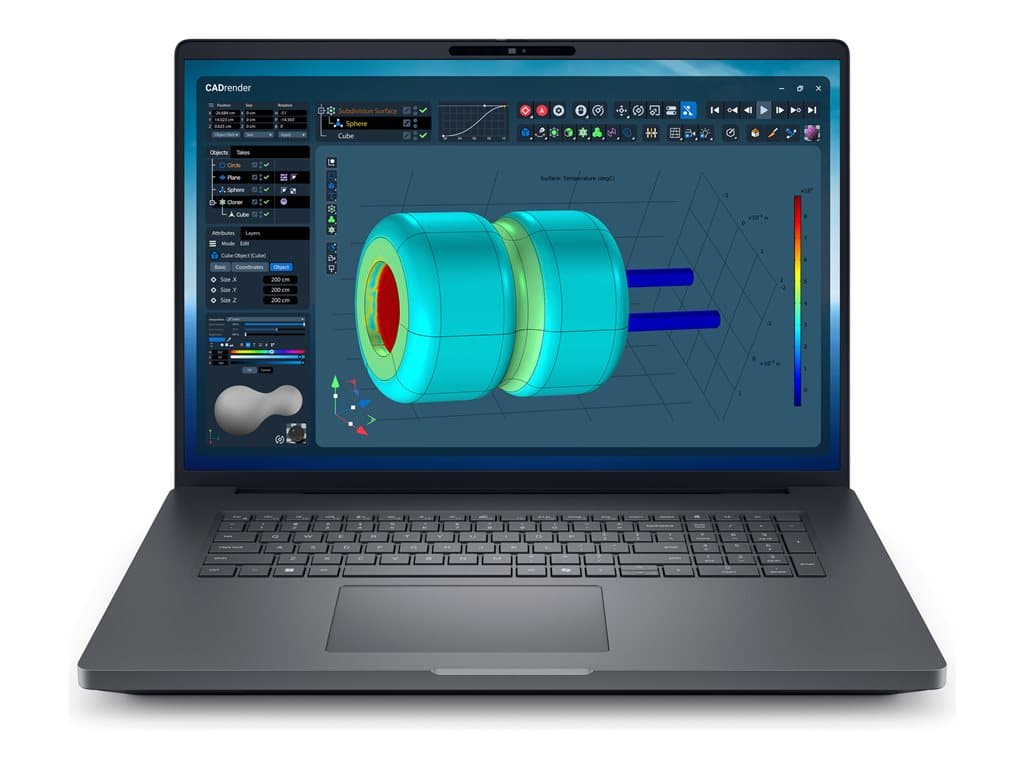
The Dell Pro Max 18 Plus Silver is an unusually large Windows business notebook aimed at users who value screen space and substantial local resources. The verified supplier listing describes an 18-inch QHD+ non-touch display, 32GB of RAM and a 1TB SSD. That combination can make sense for developers, analysts, engineers, content-production teams and other professionals who routinely keep several demanding applications or large documents open.
This is best considered as a desktop-oriented portable computer rather than an automatic choice for frequent travel. An 18-inch screen may provide a more spacious working area for timelines, code, spreadsheets and side-by-side windows, but buyers should not assume it will be as convenient to carry as a smaller laptop. The supplied information does not state its dimensions, weight or battery endurance, so mobility decisions should wait until those details have been confirmed.
The model may also suit organisations wanting Windows 11 Pro and familiar business features in one system. However, the exact family name, Pro Max 18 Plus Silver, covers individual SKUs that can differ. Procurement teams should therefore approve the part number and full specification rather than relying on the family name or a product photograph alone.
Verified configuration and points requiring confirmation
The documented SKU is PM18180601. The supplier identifies it as a silver, refurbished Dell system with an 18.0-inch QHD+ LCD, 32GB RAM, a 1TB SSD, integrated graphics and Windows 11 Pro. It is listed with a UK keyboard and no touchscreen. The listing also mentions a camera, Wi-Fi, Bluetooth, smart-card support, a fingerprint reader, NFC and a backlit keyboard. A 36-month warranty is stated.
The processor information needs careful treatment. The supplier’s raw product description names an Ultra 5 245HX, while the structured processor field says only “Intel / AMD.” Because those fields are not equally precise, purchasers should ask the seller to confirm the installed processor in writing before ordering. The same principle applies to wireless standards, camera resolution, display brightness and colour coverage: their presence or broad category may be indicated, but detailed values are not provided in the supplied facts.
“Refurb” in the supplier description indicates that this is a refurbished unit rather than an unspecified new retail machine. Buyers should confirm the refurbishment grade, cosmetic condition, battery-health policy, included power equipment and whether the 36-month warranty is provided by Dell, the supplier or another service partner. Warranty coverage should also be checked for the intended country of use.
Practical strengths
The clearest advantage is the balance of display area, memory and storage. A QHD+ panel at 18 inches gives business users more room than a typical compact notebook, while 32GB RAM is a sensible capacity for heavier multitasking, development environments, large office files and many professional workflows. The 1TB SSD offers useful local capacity without requiring an immediate storage upgrade for many users.
Windows 11 Pro is appropriate for managed business environments because it is the professional edition rather than the Home edition. The listed fingerprint reader, smart-card capability and NFC may also be relevant to organisations with compatible identity or access systems. These features do not automatically guarantee compatibility with a particular corporate platform, so IT teams should validate their own cards, credentials, management tools and security policies.
The integrated graphics configuration can be suitable for office productivity, programming, browser-based systems, general media work and workloads that do not require a dedicated GPU. It may also simplify purchasing where graphics acceleration is not a priority. Buyers running 3D design, GPU computing, advanced visualisation or demanding video workflows should check application requirements rather than infer performance from the “Pro Max” name.
Trade-offs to consider honestly
Size is the most obvious compromise. The large display is attractive at a fixed desk or between a limited number of locations, but it may be less practical on public transport, in compact meeting rooms or for employees who fly regularly. No verified weight or battery-life figure has been supplied, so neither should be estimated. Ask for the official specification tied to PM18180601.
Integrated graphics are another important boundary. They avoid promising dedicated-GPU performance and should be assessed against the buyer’s actual software. The non-touch screen will be perfectly acceptable for keyboard-and-mouse workflows, but it is not intended for buyers who require direct screen input. A UK keyboard is also a meaningful regional detail: teams using another layout should establish whether replacement, remapping or a different SKU is available.
Finally, the supplied facts do not enumerate physical ports, expansion options, memory layout, SSD interface, display specifications beyond size and QHD+, or included accessories. Those omissions are not evidence that a feature is absent. They simply mean the feature should not be assumed during procurement.
Buying checklist
- Match the SKU: verify part number PM18180601 and the silver finish on the quotation and invoice.
- Confirm the processor: resolve the difference between “Ultra 5 245HX” in the raw description and the generic structured field.
- Check condition: request the refurbishment grade, cosmetic standard and battery-health policy.
- Validate the display: confirm resolution, brightness, panel characteristics and that touch is not required.
- Review connectivity: obtain the exact port list, wireless standards and external-display capabilities.
- Approve the keyboard: ensure the UK layout is suitable for the intended users.
- Clarify support: identify the warranty provider, geographic coverage, service process and start date.
- Check software needs: make sure integrated graphics and Windows 11 Pro support all required applications and peripherals.
Measured verdict
The Dell Pro Max 18 Plus Silver in configuration PM18180601 is a credible option for a business buyer seeking a large non-touch workspace, 32GB of memory, 1TB SSD storage and Windows 11 Pro. Its listed identity and security features add potential value in managed environments. The strongest fit is a desk-focused professional who needs more screen area and does not require dedicated graphics.
Its refurbished status, UK keyboard, unspecified mobility characteristics and inconsistent processor fields make pre-purchase verification essential. If the seller confirms the CPU, condition, warranty, ports and display details, this configuration can be evaluated on solid facts. Buyers needing frequent portability, touch input or GPU-intensive performance should compare another SKU rather than assume that every Pro Max 18 Plus Silver is configured alike.