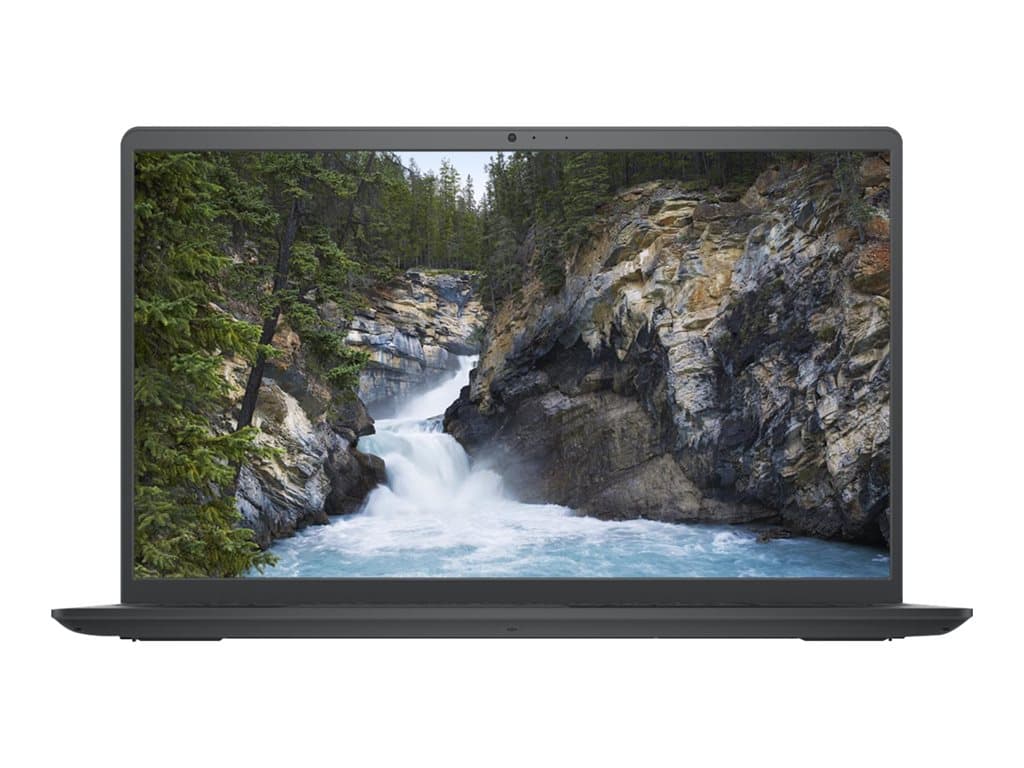
What the Dell Vostro 15-3520 Black is designed for
The Dell Vostro 15-3520 Black is a conventional 15.6-inch business laptop offered here in two supplier-listed refurbished configurations. Both use a Full HD non-touch display, integrated graphics, SSD storage and a black chassis. That combination points toward everyday office work rather than specialist graphics, engineering or gaming workloads. Likely uses include email, browser-based systems, document preparation, spreadsheets, video meetings and general administration.
The full model family name matters, but it does not define every component. Individual Dell Vostro 15-3520 Black SKUs can differ in processor, memory, storage, operating system, keyboard and warranty. Buyers should therefore select by part number rather than assuming that two laptops sharing the family name are identical. The verified options in this guide are part numbers V3520210901 and V3520210902.
Verified configurations
The entry configuration, V3520210901, combines an Intel Core i3-1215U processor with 4GB of RAM and a 256GB SSD. It has integrated graphics, a 15.6-inch Full HD non-touch screen, camera, Wi-Fi, Bluetooth and Windows 11 Home. The supplier lists a UK keyboard, black colour and a 36-month warranty. It is described in the supplier data as refurbished.
The higher configuration, V3520210902, uses an Intel Core i5-1235U processor, 16GB of RAM and a 1TB SSD. It also has integrated graphics, a 15.6-inch Full HD non-touch display, camera, Wi-Fi and Bluetooth, but runs Windows 11 Pro. A UK keyboard, black colour and 36-month warranty are listed, and this unit is likewise identified as refurbished.
The differences are consequential. Moving from 4GB to 16GB of RAM gives the second SKU considerably more working capacity for multiple browser tabs and simultaneous office applications, without implying a specific benchmark result. Its 1TB SSD also provides four times the nominal storage capacity of the 256GB option. Windows 11 Pro is generally the more appropriate listed edition where a company requires Pro-specific management, security or domain-related capabilities. Compatibility with an organisation’s actual management platform should still be confirmed by its IT team.
Practical strengths for business use
A 15.6-inch Full HD screen provides a familiar desktop-style working area for documents, web applications and side-by-side windows. Because neither verified SKU has a touchscreen, buyers are not paying specifically for touch functionality they may not need. Integrated graphics are a sensible match for routine productivity and help make the intended workload clear: these are not configurations to choose for demanding 3D rendering or other tasks that explicitly require a discrete GPU.
SSD storage is another practical benefit for a work machine because both configurations avoid reliance on a traditional hard disk. The built-in camera and listed wireless connectivity cover common remote-working requirements, although the source does not specify camera resolution or wireless standards. The three-year supplier-listed warranty is notable for refurbished stock, but buyers should verify its provider, coverage, start date and service process before deployment.
Trade-offs and configuration risks
The main limitation of V3520210901 is its 4GB RAM allocation. It may suit tightly controlled, light-duty tasks, but modern browsers, collaboration tools and background services can consume substantial memory. Organisations planning normal multitasking should assess this carefully. No assumption should be made about memory upgradeability because the supplied facts do not confirm slots, maximum capacity or whether an upgrade affects warranty coverage.
Windows 11 Home on the Core i3 SKU may also be unsuitable for companies standardised on Windows 11 Pro. An edition change can add licensing and deployment work, so it is better to include operating-system requirements in the purchasing decision. Conversely, the Core i5 configuration may provide more memory and storage than a kiosk, reception terminal or single-purpose workstation needs.
Both units are refurbished, which makes condition grading important. The supplier information does not state cosmetic grade, battery health, prior usage, included accessories or refurbishment process. It also does not provide verified battery runtime, weight, chassis materials, port selection or formal certifications. These details should be requested if they affect mobility, docking, compliance or peripheral compatibility.
Buying checklist
- Match the part number: V3520210901 is Core i3, 4GB, 256GB and Windows 11 Home; V3520210902 is Core i5, 16GB, 1TB and Windows 11 Pro.
- Confirm the keyboard: both verified listings specify a UK layout.
- Check refurbishment condition: ask for cosmetic grade, battery-health policy and details of testing or component replacement.
- Validate the warranty: confirm who supplies the stated 36-month cover and what service it includes.
- Audit connectivity: obtain the exact port and wireless specifications before ordering docks, displays or adapters.
- Plan the software image: confirm Windows edition, application requirements and company-management compatibility.
- Check the box contents: verify the charger and any required accessories are included.
Measured verdict
The Dell Vostro 15-3520 Black is best considered as a straightforward refurbished office laptop family, not as one fixed specification. V3520210901 can make sense for light, carefully defined duties where 4GB of memory and Windows 11 Home are acceptable. For broader business deployment, V3520210902 is the more balanced verified configuration because it combines 16GB of RAM, a 1TB SSD and Windows 11 Pro with the Core i5-1235U.
That recommendation is configuration-led rather than a claim about tested performance. Before buying, confirm condition, battery policy, warranty administration, ports and accessories. With those points documented, the selected SKU can be assessed against a real workload instead of relying on the Vostro family name alone.