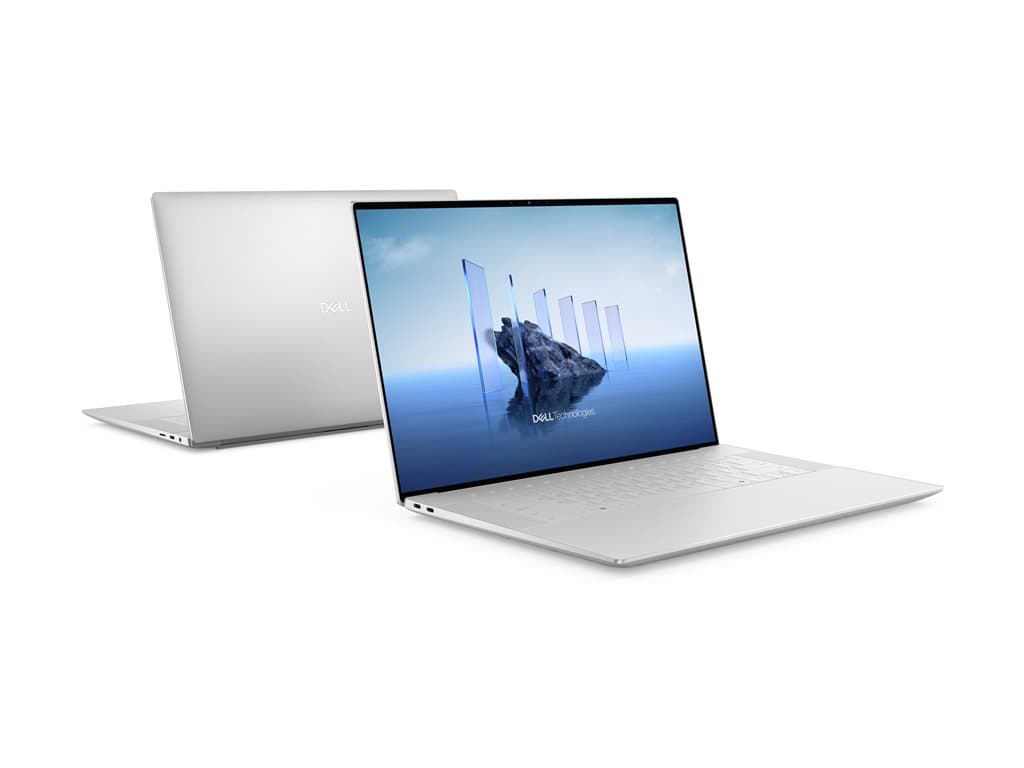
What the Dell XPS 16 Silver is designed to do
The Dell XPS 16 Silver listed here is a refurbished 16.3-inch notebook aimed at buyers who need substantially more graphics capability than a typical office laptop provides. The verified specification combines an Intel Core Ultra 7 255H processor, 32GB of RAM and an NVIDIA GeForce RTX 5060 with 8GB of graphics memory. That makes it relevant to creative teams, technical specialists, developers and other professionals whose applications can use a discrete GPU.
It can also serve as a higher-performance general business computer for demanding multitasking. However, buyers who mainly work in email, browser-based systems and standard documents may not benefit from the dedicated graphics hardware. A simpler commercial laptop could be easier to standardise and more closely matched to that workload. The value of this model therefore depends on whether its processor, memory and GPU will actually support the organisation’s software.
Verified configurations and SKU differences
The supplier records identify two silver configurations. Part number X16210701 has an Intel Core Ultra 7 255H, 32GB RAM, a 512GB SSD, GeForce RTX 5060 8GB graphics and a 16.3-inch 2K non-touch LCD. Its raw supplier description refers to Windows 11 Home, although the structured operating-system field is marked unknown. The installed edition should therefore be confirmed before ordering rather than inferred.
Part number X16210702 has the same listed processor, memory, storage, graphics and display specification, but Windows 11 Pro is explicitly recorded. That is likely to be the more straightforward option where corporate deployment requires Pro features. Both supplier entries specify a UK keyboard, Wi-Fi, Bluetooth, a fingerprint reader, keyboard backlighting and a 36-month warranty. They are also described as refurbished and use the standard laptop form factor.
XPS 16 Silver is a model family name, not a guarantee that every unit sold under it is identical. Individual SKUs can differ in operating system, keyboard, display, storage, warranty and other details. The part number and the current seller documentation should take priority over assumptions based on the family name or photographs.
Practical strengths for professional work
The most important practical strength is the balanced core specification. A 32GB memory allocation gives professional applications and larger multitasking workloads more room than basic configurations. The 512GB SSD provides local solid-state storage, while the RTX 5060’s 8GB of dedicated graphics memory may suit compatible design, rendering, media, visualisation or GPU-assisted development tools. Suitability still depends on each application’s published hardware requirements.
The 16.3-inch 2K non-touch display offers a relatively large working area in notebook form. A non-touch panel may also be preferable for organisations that have no touch workflow and want a conventional laptop interface. The verified UK backlit keyboard matters for users working in low-light environments, while the listed fingerprint reader may support more convenient sign-in when correctly configured by the operating system and IT policy.
Trade-offs to consider honestly
This is a refurbished product, so procurement teams should clarify cosmetic grading, previous use, refurbishment work and the condition of consumable components. A stated 36-month warranty is reassuring, but its provider, geographic coverage, response process and exclusions should be checked. The supplied facts do not establish battery endurance, physical weight, chassis materials, port selection or included accessories, so none should be assumed.
The 512GB SSD may be sufficient for office documents and centrally stored projects, but locally retained video, design assets, datasets or virtual machines can consume that capacity quickly. The UK keyboard may also be unsuitable for users accustomed to another national layout. Finally, the RTX GPU can be valuable for specialised software, but buyers should confirm driver and application compatibility rather than treating the GPU name alone as proof of performance.
Buying checklist
- Match the part number: X16210701 or X16210702.
- Confirm Windows: verify the installed edition and licence, especially for X16210701.
- Check refurbishment: ask for the condition grade and refurbishment scope.
- Validate the warranty: confirm provider, start date, territory and service terms.
- Review software needs: check CPU, RAM, GPU and graphics-memory requirements.
- Assess storage: decide whether 512GB is enough for local workloads.
- Accept the input layout: both verified SKUs specify a UK keyboard.
- Verify the box contents: confirm the power adapter and any required accessories.
Measured verdict
The Dell XPS 16 Silver is a credible option for organisations seeking a refurbished, large-screen professional notebook with 32GB RAM and dedicated RTX graphics. Its specification is most defensible for workloads that can exploit the GPU or need stronger-than-routine computing resources. X16210702 is the clearer business deployment choice because Windows 11 Pro is explicitly listed.
It should not be purchased on the family name alone. Confirm the exact SKU, operating system, refurbishment condition and warranty, then compare the 512GB capacity and UK keyboard with user requirements. If those details align with the intended software and support policy, this configuration presents a focused alternative to both basic office notebooks and less portable desktop workstations.